AI projects for students are changing the way children learn today. In the past, students only used the internet to find answers. However, Artificial Intelligence (AI) now allows them to do much more than that. For example, children can build websites, design posters, make quizzes, and create science presentations with the help of AI. At Green Field Computer Academy, we believe that AI projects for students should teach children how to think, not just how to copy. Therefore, the main goal of AI projects for students is to help young learners turn their own ideas into something useful.
In this blog, you will learn what AI projects for students are, why they matter, and which projects are easy to start with. Besides that, you will find a simple step-by-step guide, useful tools, tips for parents, and answers to common questions.
What Are AI Projects for Students?
AI projects for students are practical activities in which children use AI tools to create something new. As a result, they learn how AI works and how it can make studying easier and more interesting.
For example, a child can ask AI, “What is the Solar System?” and read the answer. Instead, the child can use that information to build an interactive Solar System presentation with pictures, facts, and animations. Similarly, a student can create a healthy food chart rather than just reading about nutrition.
In short, the difference is simple. When students only ask questions, they collect information. On the other hand, when they work on AI projects for students, they use that information to build something of their own.
Why Should Children Try AI Projects for Students Instead of Just Getting Answers?
AI can give an answer in a few seconds. However, real learning does not stop there. Children also need time to explore, make mistakes, and improve their ideas. Here are four important reasons why AI projects for students are better than simply getting answers.
1. They Develop Creative Thinking
AI can suggest topics, design ideas, and story plots. Because of this, children get many options to choose from. For instance, a student who loves animals can create an animal information website with photos, facts, and fun questions. As a result, the child thinks creatively instead of copying.
2. They Improve Problem-Solving Skills
While building a project, students face small problems. For example, a calculator may show a wrong result, or a quiz may not count the score correctly. Therefore, children must find the mistake and fix it. AI can guide them, but they should always test the final result themselves.
3. They Teach Useful Digital Skills
Moreover, AI projects for students help children learn skills that are useful in school and in life. These include:
- Basic computer knowledge
- Website development with HTML and CSS
- Graphic designing
- Presentation making
- Basic coding
- Online research
4. They Build Confidence
When children finish a project, they feel proud of their work. Besides, they can show it to teachers, parents, and friends, and they can explain how they made it. Consequently, their communication skills also improve.
10 Best AI Projects for Students to Try
Children do not need advanced coding knowledge to begin. In fact, small and simple ideas work best at the start. The table below shows 10 easy AI projects for students and what each one teaches.
| No. | AI Project Idea | What Students Learn |
| 1 | AI-Based Quiz Maker | Question writing and logical thinking |
| 2 | Personal Portfolio Website | HTML, CSS, and web design |
| 3 | AI Story Generator | Creative writing and imagination |
| 4 | Educational Presentation | Research and presentation skills |
| 5 | Weather Information Dashboard | Organizing data and information |
| 6 | Simple Calculator | Basic programming and mathematics |
| 7 | Digital Poster Designer | Graphic design and creativity |
| 8 | Interactive Solar System | Science and digital learning |
| 9 | Study Timetable Generator | Planning and time management |
| 10 | Vocabulary Learning Game | Language skills and logic |
Five Easy AI Projects for Students Explained
Personal Portfolio Website
A portfolio website is one of the best AI projects for students who want to learn web development. First, students ask AI to explain basic HTML and CSS. Then, they plan pages such as an introduction, hobbies, skills, and contact details. Finally, they build the site step by step.
Quiz Maker
Students can create a quiz on Maths, Science, English, or computer basics. Although AI can suggest questions, students should check every answer carefully. After that, they can learn how to show the final score. As a result, they practice logic and basic JavaScript.
Digital Storybook
Children love stories, so this project is always popular. First, they choose a topic and create characters. Next, they write a short story and add age-appropriate pictures. Finally, they arrange everything into digital pages. However, they should add their own creative changes to the story.
Interactive Solar System
In this project, students collect facts about the eight planets, such as size and distance from the Sun. Then, they arrange the facts in a presentation or a simple website. Because of this, they learn science, research, and design together.
Study Timetable Generator
Students enter their subjects, free time, and important tasks. Then, a simple program shows a daily study plan. In addition, this project teaches time management, which is useful for every student.
How to Create Your First AI Project: Step-by-Step Guide
Children do not need to be AI experts to start. Instead, they can begin with a small idea and improve it slowly. Follow these six steps for AI projects for students.
- Choose an idea. First, pick something you enjoy, such as a quiz, a poster, or a personal website.
- Understand the project. Before using AI, write down the purpose, the users, and the features you want. Because of this, you stay in control of the idea.
- Ask AI for guidance. Next, ask simple questions like, “Explain how to make a quiz using HTML, CSS, and JavaScript in easy words.” However, do not copy blindly. Instead, try to understand each step.
- Build the project. Then, use tools such as Visual Studio Code, Canva, or PowerPoint to create your work.
- Test and improve. After that, check for mistakes. For example, if the quiz shows the wrong score, find the problem and fix it.
- Present your work. Finally, explain what you made, why you made it, and what you learned.
Best Tools for AI Projects for Students
Different tools help with different tasks. Therefore, students should choose the tool that matches their project.
| Tool | Main Purpose | Project Ideas |
| ChatGPT | Learning and brainstorming | Quiz ideas, code explanations |
| Google Gemini | Research and learning | Science projects, new ideas |
| Canva | Graphic designing | Posters and presentations |
| Scratch | Learning programming | Games and animations |
| Visual Studio Code | Writing code | Websites and applications |
| PowerPoint | Making slides | Educational slideshows |
Important: Children should use age-appropriate tools with the guidance of parents or teachers. Moreover, they should follow each platform’s age rules.
AI for Answers vs AI Projects for Students
Using AI only for answers is very different from using it for learning. The table below makes the difference clear.
| AI for Just Answers | AI Projects for Students |
| Asking questions | Developing new ideas |
| Copying information | Understanding information |
| Getting ready-made code | Learning how code works |
| Completing tasks quickly | Building practical skills |
| Depending on AI | Learning with AI as a helper |
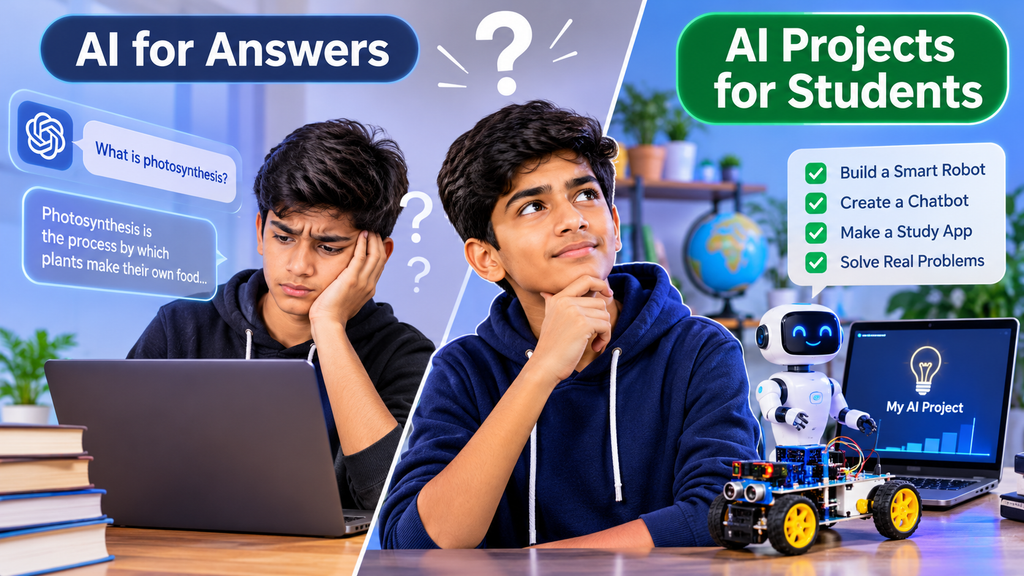
For example, if a child asks AI to write a paragraph about computers, the child only receives information. On the other hand, if the child builds a small computer education website, the child also learns design, coding, and communication.
How Green Field Computer Academy Supports AI Projects for Students
Green Field Computer Academy believes that computer education should go beyond theory. Therefore, students are encouraged to apply what they learn in real, practical projects. Also, learning how to use AI responsibly is becoming an important part of modern education.
At Green Field Computer Academy, students can explore the following areas:
- Computer Fundamentals: Understanding computers and how they work.
- MS Office: Creating documents, spreadsheets, and presentations.
- Web Development: Learning HTML, CSS, and JavaScript.
- Programming: Understanding basic coding concepts.
- AI Awareness: Using AI tools safely and responsibly.
- Practical Projects: Turning classroom learning into real ideas.
In other words, the purpose of AI projects for students is not just to use new tools. Instead, it is to build creativity, confidence, and logical thinking. To learn more, visit [Green Field Computer Academy](https://gfca.in/).
Tips for Parents: Encouraging AI Projects for Students
Parents play a big role in building good technology habits. Here are some simple ways to help.
- Encourage curiosity. Let children ask questions and explore freely.
- Start small. Choose easy projects first, and then move to harder ones.
- Focus on learning. Do not judge a project only by how it looks.
- Ask them to explain. Because explaining is a great way to learn, ask how the project works.
- Teach safe AI use. AI can make mistakes, so children should always check the facts.
- Keep a balance. Also make sure children spend time on outdoor play and reading.
Remember that AI is a learning helper, not a replacement for a child’s own thinking.
The Future of AI Projects for Students
AI is already becoming a part of education, healthcare, business, and science. Therefore, children who learn to use it creatively will understand modern technology better. However, knowing an AI tool is not enough. Students also need communication, maths, creativity, and problem-solving skills. That is why AI projects for students should be a regular part of practical education.
Frequently Asked Questions (FAQs) About AI Projects for Students
1. What are AI projects for students?
AI projects for students are practical activities where children use AI tools to create websites, presentations, games, designs, and other useful projects.
2. How can children use AI to create projects?
Children can use AI to get ideas, understand coding, organize information, and solve problems. However, they should always review and test their final work.
3. Which AI projects are best for beginners?
Quiz makers, digital posters, portfolio websites, storybooks, and study timetables are good choices. Because they are simple, beginners can finish them quickly.
4. Do students need coding knowledge?
No, they do not. Students can start with presentation and design tools. Still, learning HTML, CSS, and JavaScript helps them build more interactive projects.
5. Which AI tools are useful for students?
ChatGPT, Google Gemini, and Canva help with ideas and design. In addition, Scratch and Visual Studio Code help students learn programming.
6. Can AI improve a child’s creativity?
Yes, it can. AI suggests ideas and options. However, children should add their own thoughts so that the project stays original.
7. Is AI safe for school students?
AI can be safe when used with guidance. Therefore, parents and teachers should check the information, protect personal details, and follow age rules.
8. Where can children learn computer and AI skills?
Children can learn computer basics, web development, and AI awareness at institutes such as Green Field Computer Academy.
Conclusion
AI has given children new ways to learn and create. Instead of using it only for homework answers, students should use it to build real projects. From simple websites to quiz apps and science presentations, there are many easy AI projects for students that make learning fun and practical.
Above all, children should think independently, try new ideas, and understand what they create. Green Field Computer Academy supports this practical approach so that every student can grow into a confident technology user. After all, AI should not do all the thinking for children. It should help them think better and create something of their own.