Introduction
Today, a Microsoft Word Course is one of the most useful courses. Indeed, students, job seekers, and office staff all need this skill. In fact, almost every company uses Word for daily work. So, a Microsoft Word Course can help you finish office tasks faster. Also, it can open new career opportunities for you.
At Green Field Computer Academy, we teach this Microsoft Word Course in a simple way. Here, our trainers focus on hands-on practice. Therefore, every student learns with real confidence. Whether you are a beginner or already know some basics, this Microsoft Word Course fits your needs.
What Will You Learn in a Microsoft Word Course?
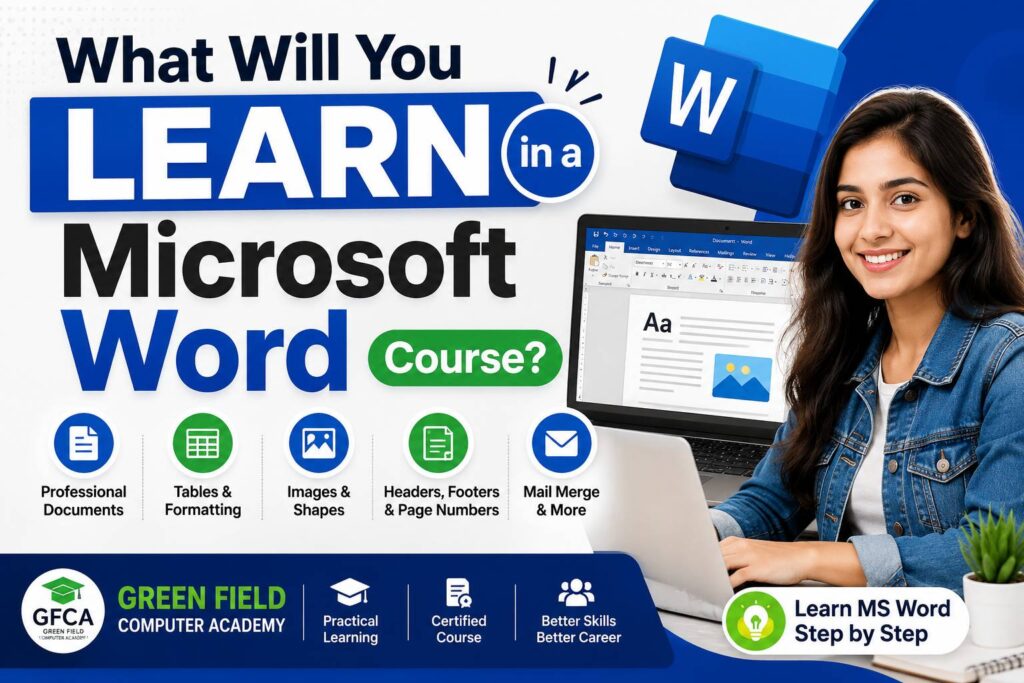
Overall, our Microsoft Word Course covers every important feature. Naturally, these skills are useful in schools, colleges, and offices. Below, you will find the main topics of this Microsoft Word Course.
1. Creating Professional Documents
First, you will learn to make neat documents. Here, this Microsoft Word Course teaches you to organise content well. As a result, your documents will look clean and professional.
2. Resume and CV Making
Next, a strong resume can help you get a job. So, this Microsoft Word Course teaches modern resume templates. Besides, you will also learn simple formatting tricks for a sharp CV.
3. Letter Writing
Additionally, you will learn official letter writing. Specifically, this includes business letters and job applications. Furthermore, this Microsoft Word Course covers personal letters too.
4. Page Formatting
Meanwhile, page formatting is a key part of this Microsoft Word Course. Here, you will learn about margins, fonts, and spacing. Along with that, you will also learn page themes and layouts.
5. Working with Tables
Moreover, tables help organise information clearly. So, this Microsoft Word Course shows you how to build neat tables. Afterward, you will also learn to edit and format them fast.
6. Images and Shapes
Then, you will add pictures and shapes to documents. Notably, this Microsoft Word Course also covers icons and SmartArt. Consequently, your documents will look more attractive.
7. Headers and Footers
Similarly, headers and footers add useful details. For example, you will show company names and report titles. Overall, this Microsoft Word Course makes this process quick and easy.
8. Page Numbers
Also, page numbers matter for long reports. In this part, this Microsoft Word Course teaches simple numbering steps. So, your projects will always look organised.
9. Mail Merge
Above all, Mail Merge is a powerful tool. Here, this Microsoft Word Course teaches you to send many letters at once. For example, you can create certificates and invitations automatically.
10. Printing Documents
Finally, printing needs the right settings. Likewise, this Microsoft Word Course covers print preview and page selection. Thus, your final printout always looks correct.
Microsoft Word Course Topics at a Glance
Below, you can see a quick table of this Microsoft Word Course. So, use it as a fast reference guide.
| Topic | What You Will Learn |
| Creating Professional Documents | Design clean, well-formatted documents |
| Resume and CV Making | Build job-ready resumes fast |
| Letter Writing | Write official and business letters |
| Page Formatting | Set margins, fonts, and layouts |
| Tables | Create and format neat tables |
| Images and Shapes | Add pictures, icons, and SmartArt |
| Headers and Footers | Show titles, dates, and names |
| Page Numbers | Number reports and assignments neatly |
| Mail Merge | Send many letters automatically |
| Printing Documents | Print with correct settings |
Why Learn a Microsoft Word Course?
Overall, there are many benefits of joining a Microsoft Word Course. Below, you can see the top reasons to enrol.
- Improves your daily office productivity.
- Helps you create professional documents fast.
- Makes resume writing simple and quick.
- Useful for students, teachers, and professionals.
- Required for many private and government jobs.
- Saves time with Mail Merge tools.
- Builds strong computer confidence overall.
Why Choose Green Field Computer Academy?
At Green Field Computer Academy, we believe in practical learning. Here, our Microsoft Word Course gives every student real hands-on practice. Therefore, learning feels easy and fun.
Benefits of Joining Our Course
- Practical classroom training every day.
- Experienced and friendly trainers.
- Beginner-friendly teaching style.
- Latest Microsoft Word features covered.
- Government-recognised certificate on completion.
- Placement assistance after the course.
- Affordable fees for every student.
- Regular practice assignments given.
Who Can Join This Microsoft Word Course?
Generally, this Microsoft Word Course suits many kinds of learners. For instance, it works well for the following groups.
- Students and college learners
- Job seekers
- Office employees
- Business owners
- Teachers
- Beginners with no computer knowledge
Indeed, no prior computer knowledge is needed. So, anyone can join this Microsoft Word Course with confidence.
Conclusion
In short, a Microsoft Word Course is a smart investment. Indeed, it helps with documents, resumes, tables, and Mail Merge. Also, it builds strong printing and formatting skills.
So, join Green Field Computer Academy today for your Microsoft Word Course. Here, our practical training prepares you for real office work. Finally, start your Microsoft Word Course now and build lasting confidence.
FAQs
1. What is a Microsoft Word Course used for?
Basically, a Microsoft Word Course teaches you to create, edit, and print documents. Specifically, this includes resumes, letters, reports, and office files.
2. Who should join a Microsoft Word Course?
Generally, students, job seekers, office staff, teachers, and business owners can all join. Even complete beginners can start this Microsoft Word Course.
3. Is a Microsoft Word Course useful for jobs?
Yes, indeed. Most companies expect basic or advanced Word skills. So, this Microsoft Word Course boosts your job chances.
4. Will I learn resume making in this Microsoft Word Course?
Yes, certainly. Our Microsoft Word Course includes full resume and CV training. Additionally, you will learn proper formatting too.
5. What is Mail Merge in a Microsoft Word Course?
Simply put, Mail Merge lets you create many letters at once. So, this Microsoft Word Course teaches this feature step by step.
6. Why choose Green Field Computer Academy for this course?
Overall, Green Field Computer Academy offers practical training and expert trainers. Along with that, we also provide certification and placement support.
Green Field Computer Academy | Basai Road, Gurugram, Haryana
Call: +91 9810932480 | Email: info@gfca.in | Web: gfca.in
If you need more Information you can contact Sachin Thakur