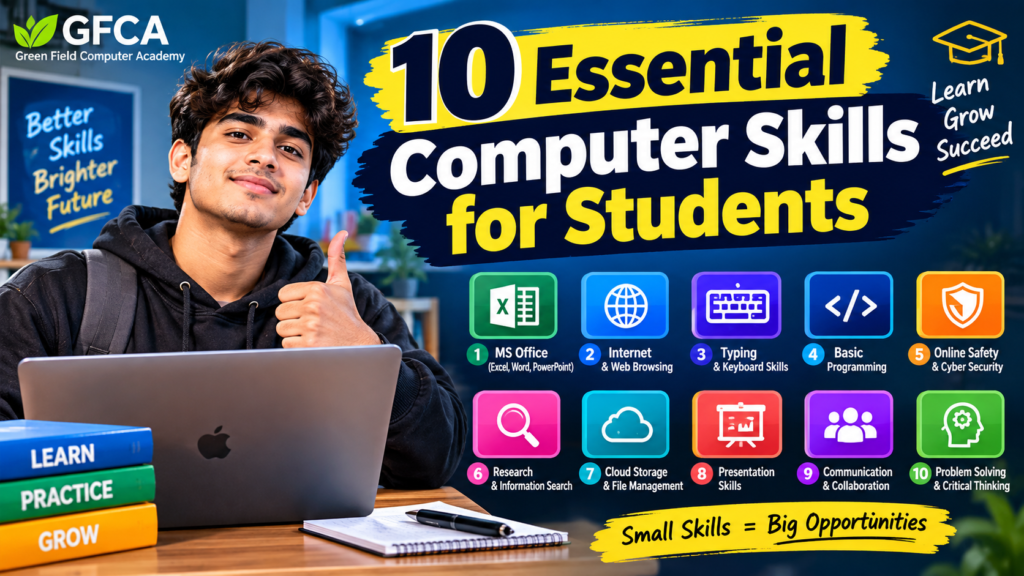
The 10 Essential Computer Skills for Students are skills that every learner should build today, because computers now support almost every part of education. For example, students attend online classes, prepare assignments, research topics and design presentations on a computer. Therefore, learning the 10 Essential Computer Skills for Students early can make studies easier, faster and also far less stressful. In this simple guide, we explain each of the 10 Essential Computer Skills for Students, and then we show how any beginner can practise them at home.
Why the 10 Essential Computer Skills for Students Are So Important
Computer knowledge is no longer limited to computer science students. In fact, arts, commerce, science and vocational students all need it. Moreover, schools and colleges now expect digital work from the very first year. As a result, students who avoid computers usually fall behind.
Generally, students need a computer in order to:
- Prepare assignments and then submit them on time
- Create presentations as well as project files
- Search for study material, especially before exams
- Attend online classes while taking digital notes
- Make spreadsheets such as marksheets and attendance tables
- Communicate with teachers, for example through email
- Store and organise files, and also keep backups
- Prepare for internships and, later, for full-time jobs
Because of this long list, the 10 Essential Computer Skills for Students below are useful both in the classroom and in the workplace.
Table: 10 Essential Computer Skills for Students at a Glance
| No. | Computer Skill | Why This Skill Is Important |
| 1 | Basic Computer Operation | Builds confidence, so any computer feels easy |
| 2 | Typing Skills | Helps students write faster and also with fewer errors |
| 3 | Microsoft Word | Useful for documents, reports as well as resumes |
| 4 | Microsoft Excel | Handles data, calculations and also tables |
| 5 | Microsoft PowerPoint | Creates clear slides, especially for projects |
| 6 | Internet and Web Research | Finds reliable material, for example study guides |
| 7 | Email Skills | Supports formal contact, such as emails to teachers |
| 8 | File and Folder Management | Keeps subjects organised, so files are easy to find |
| 9 | Online Safety and Cybersecurity | Protects accounts because privacy really matters |
| 10 | Basic Coding and Digital Skills | Improves logic and therefore problem solving |
Now, let us look at each of the 10 Essential Computer Skills for Students in detail.
1. Basic Computer Operation
First of all, basic computer operation opens the list of the 10 Essential Computer Skills for Students. Every learner should feel comfortable with the keyboard, mouse, monitor and common settings. Otherwise, even a simple assignment feels difficult.
Therefore, students should learn how to:
- First, start and shut down a computer safely
- Next, use a mouse and keyboard correctly
- Then open, close and switch between applications
- Also connect to Wi-Fi and check the network
- Besides that, take screenshots and adjust basic settings
- Finally, copy, paste and use shortcuts such as Ctrl+S
Because these steps are used daily, they create a strong base for every advanced skill that follows.
2. Typing Skills
Secondly, typing joins the 10 Essential Computer Skills for Students. Students write notes, answers, emails and long reports, so speed and accuracy save many hours each month.
Thus, students should practise:
- First, correct finger placement on the home row
- Then typing without looking at the keyboard
- Also capital letters, spacing as well as punctuation
- Above all, accuracy before speed
Usually, fifteen minutes of daily practice improves typing speed within a few weeks. However, students should never rush accuracy, because correcting mistakes takes longer than typing slowly.
3. Microsoft Word
Microsoft Word is one of the most used programs among the 10 Essential Computer Skills for Students. In fact, students create assignments, letters, resumes and project reports in Word almost every week.
For instance, useful Word skills include:
- First, creating, editing and saving documents
- Then formatting text, headings as well as paragraphs
- Also adding images, tables and page numbers
- Besides that, using headers, footers and spell check
- Finally, saving or exporting the file as PDF
Consequently, a student who knows Word can submit neat and professional work every time.
4. Microsoft Excel
Excel handles numbers, and therefore it is a valuable part of the 10 Essential Computer Skills for Students. For example, students use it for marksheets, attendance records, budgets and small data projects.
Generally, basic Excel skills include:
- First, entering data and then creating simple tables
- Next, using formulas such as SUM and AVERAGE
- Also sorting, filtering and formatting cells
- Finally, building charts so the data becomes clear
Furthermore, Excel knowledge is valued in almost every office job. As a result, the practice keeps paying off after college.
5. Microsoft PowerPoint
Presentations are common in schools as well as colleges. For this reason, PowerPoint earns its place among the 10 Essential Computer Skills for Students. Moreover, good slides help students speak with confidence.
So, students should learn how to:
- First, create slides and then apply a clean theme
- Next, add text, images as well as charts
- Also use simple animations, although only where needed
- Finally, arrange points clearly so the talk flows well
A good slide stays simple and readable. In other words, less text on the screen usually means a better presentation.
6. Internet and Web Research
Searching well is a skill in itself, and it is one of the most practical 10 Essential Computer Skills for Students. Although search engines show thousands of results, not every website is reliable. Therefore, students must learn to judge a source before trusting it.
For example, students should learn how to:
- First, choose the right keywords for a search
- Then compare information from different sources
- Also identify trusted sites, such as government or college pages
- Besides that, check the date as well as the author
- Finally, give credit to sources whenever required
As a result, students avoid copying wrong information into their projects.
7. Email Skills
Email remains the formal way to contact teachers, colleges and companies. Hence, email writing belongs in the 10 Essential Computer Skills for Students. In addition, a clear email often gets a faster reply.
Basically, email skills include:
- First, writing a clear subject line
- Then keeping the message short as well as polite
- Also adding attachments before sending
- Besides that, replying, forwarding and organising messages
- Finally, recognising spam, for example fake prize emails
For example, a student may need to email an assignment before a deadline. Similarly, another student may write to a college about admission dates.
8. File and Folder Management
Students collect hundreds of documents, images and PDFs. Without a system, finding one file becomes a long search. Therefore, file management is a quiet but powerful part of the 10 Essential Computer Skills for Students.
So, students should learn how to:
- First, create and name folders by subject
- Then rename, copy, move or delete files
- Also use cloud storage such as Google Drive
- Finally, keep a backup so important work is never lost
For instance, separate folders for Maths, Science, English and Projects keep everything ready before an exam.
9. Online Safety and Cybersecurity
Safety knowledge protects learners online, so it is an essential item in the 10 Essential Computer Skills for Students. Moreover, one weak password can expose every account.
Therefore, important safety habits include:
- First, creating strong and unique passwords
- Also, never sharing passwords, even with close friends
- Then turning on two-factor authentication wherever possible
- Besides that, avoiding suspicious links as well as unknown downloads
- Moreover, checking website addresses before logging in
- Finally, keeping the system and the browser updated
Additionally, students should remember that not everything online is true or safe.
10. Basic Coding and Digital Skills
Finally, basic coding completes the 10 Essential Computer Skills for Students. Of course, students do not need to become professional programmers. Even so, a little coding improves logic as well as problem solving.
Generally, beginners can start with:
- First, HTML and CSS for simple web pages
- Then JavaScript, so pages become interactive
- Also Python, because it is beginner friendly
- Finally, core ideas such as variables, loops and conditions
Small projects work best. For example, students can build a simple web page, a calculator or a short quiz program.
How Students Can Improve the 10 Essential Computer Skills for Students
Reading about computers is not enough, because these skills grow only through practice. Fortunately, improvement does not need expensive equipment. Instead, it needs a daily habit.
Practise Every Day
First, spend twenty to thirty minutes daily on one skill. Generally, short daily practice works better than long weekend sessions.
Work on Small Projects
Next, create a Word assignment, an Excel marksheet or a simple web page. In fact, real projects teach faster than theory.
Learn Keyboard Shortcuts
Also, learn shortcuts such as Ctrl+C, Ctrl+V, Ctrl+Z and Ctrl+S. As a result, common tasks take seconds instead of minutes.
Join a Structured Computer Course
Finally, a guided course keeps learning in order and therefore removes confusion. Green Field Computer Academy provides practical computer training for students and beginners, so learners can build all of the 10 Essential Computer Skills for Students step by step.
Benefits of Learning the 10 Essential Computer Skills for Students
Overall, the benefits appear quickly once practice begins:
- Firstly, faster assignment and project preparation
- Secondly, neater documents as well as stronger presentations
- Also, better research and study habits
- Moreover, organised files, so nothing gets lost
- Besides that, safer online accounts and personal data
- In addition, more confidence with new software
- Finally, a solid start for internships and jobs
Conclusion
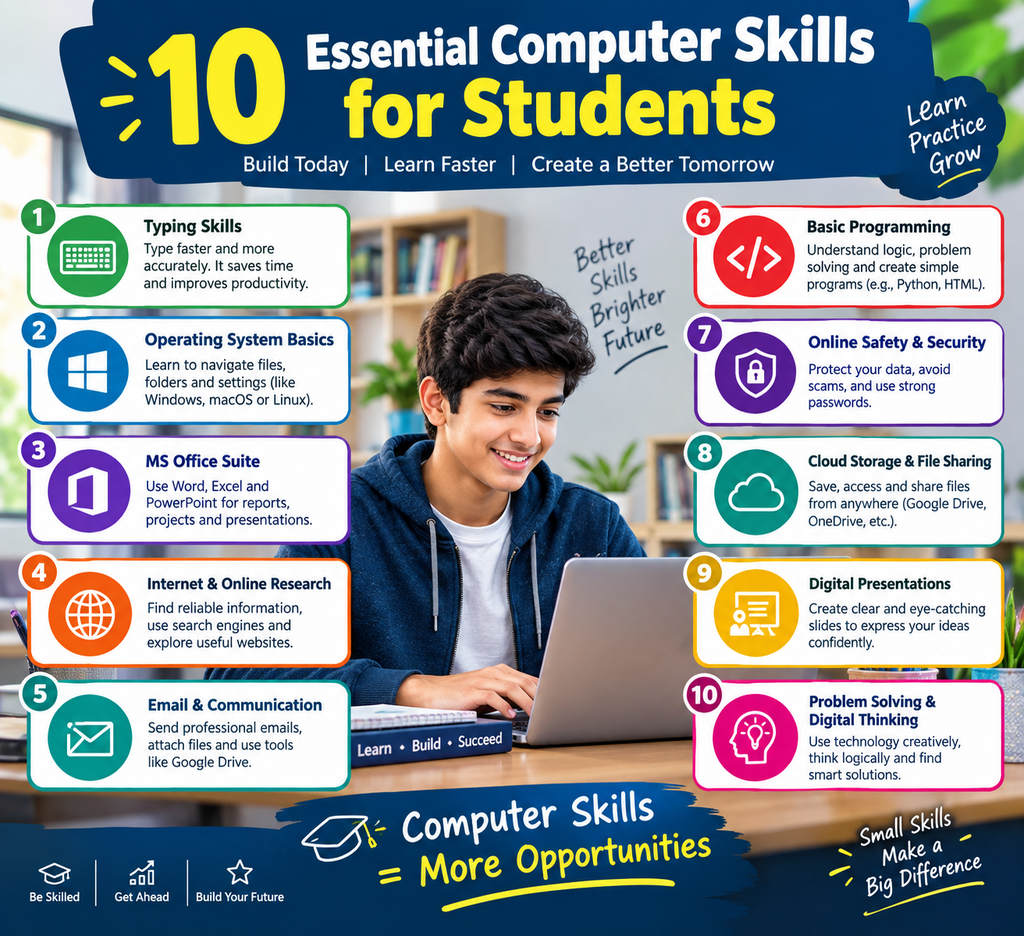
Computers now support learning, communication, research and creativity. In short, the 10 Essential Computer Skills for Students explained above are basic computer operation, typing, Microsoft Word, Microsoft Excel, Microsoft PowerPoint, internet research, email, file management, online safety and basic coding.
Of course, students do not need to learn everything in one week. Instead, they should pick one skill, practise it, and then move to the next. Over time, the 10 Essential Computer Skills for Students become natural habits rather than difficult tasks. Therefore, Green Field Computer Academy can help students and beginners learn these skills in a simple, structured and practical way.
Frequently Asked Questions (FAQs)
1. What are the 10 Essential Computer Skills for Students?
Basically, the 10 Essential Computer Skills for Students are basic computer operation, typing, Microsoft Word, Microsoft Excel, Microsoft PowerPoint, internet research, email skills, file management, online safety and also basic coding.
2. Why are computer skills important for students?
Computer skills help students finish assignments, build presentations and research topics. In addition, they prepare learners for higher education as well as jobs.
3. Is Microsoft Word really necessary?
Yes. Word is used for assignments, reports, projects and resumes. Therefore, it is one of the most useful programs in student life.
4. Should school students learn Excel?
Yes, because Excel helps with marksheets, budgets, tables and charts. Moreover, it stays useful in college and at work.
5. Do students need to learn coding?
Basic coding is helpful because it improves logical thinking. For example, beginners can start with HTML, CSS, JavaScript or Python.
6. How long does it take to learn these skills?
Generally, most beginners become comfortable within two to four months. However, progress depends on daily practice time.
7. Can a complete beginner learn these skills?
Absolutely. First, beginners should start with basic operation and typing. After that, they can move to Word, Excel and PowerPoint.
8. Where can students learn the 10 Essential Computer Skills for Students?
Students can learn through practice projects, online resources or school programs. Alternatively, they can join a training institute such as Green Field Computer Academy.