
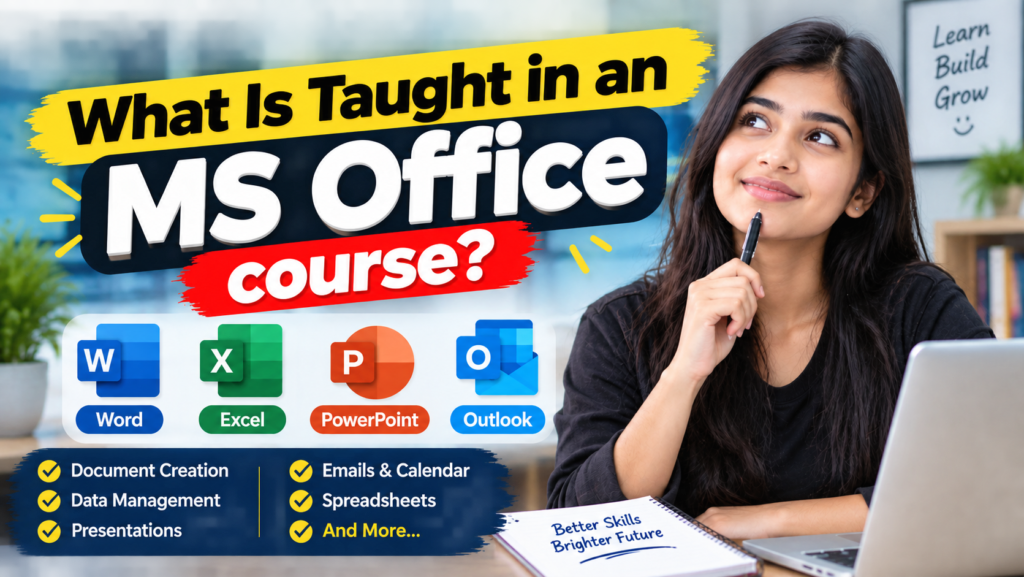
So, what is taught in an MS Office course? Many people ask this before they enrol, because the answer shapes whether the training actually fits their goals. In this guide, therefore, we break the MS Office course down step by step, so that students, beginners, job seekers, and working professionals know exactly what to expect.
Microsoft Office, after all, remains one of the most widely used productivity suites in the world. Because of that, it sits at the centre of documentation, data management, and presentation work across schools, colleges, offices, and businesses. As a result, knowing what a good MS Office course actually includes can help you decide whether the training is right for you.
At Green Field Computer Academy, for instance, the MS Office course takes learners from the very basics of computer applications to confident, practical, real-world use of Microsoft Word, Excel, and PowerPoint. Throughout the course, moreover, the academy builds each lesson around simple explanations, guided practice, and hands-on projects. In other words, learners leave with skills they can actually use, not just theory they memorised.
What Is MS Office, and Why Take an MS Office Course?
Microsoft Office, in short, is a collection of computer applications that help users handle everyday productivity tasks. Before diving into what an MS Office course covers, however, it helps to know which applications usually appear in the syllabus.
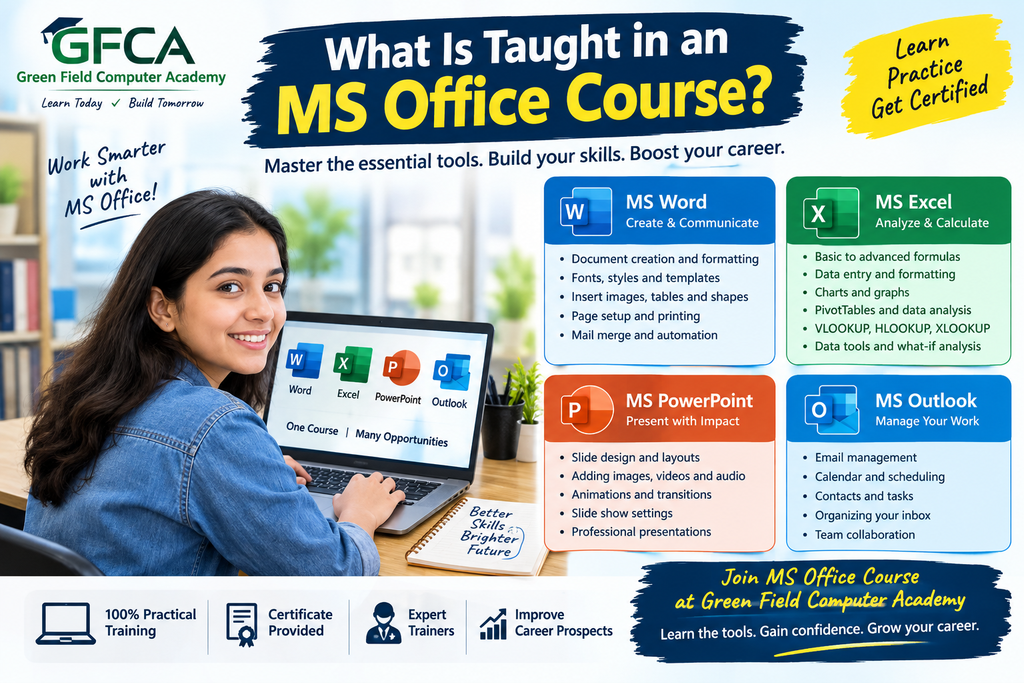
- MS Word – for creating and formatting documents.
- MS Excel – for calculations, data entry, analysis, tables, and reports.
- MS PowerPoint – for creating presentations.
- MS Outlook – for email, calendars, meetings, and communication, included in many course versions.
On top of these core apps, a modern MS Office course may also introduce Microsoft 365 productivity features and select AI-assisted tools across Word, Excel, PowerPoint, Outlook, and OneNote. Consequently, learners gain a clearer picture of how office software keeps evolving.
What Is Taught in an MS Office Course? An Overview
Naturally, the exact syllabus of an MS Office course can vary slightly between institutes. Even so, a solid, well-rounded MS Office course usually covers three core applications: Word, Excel, and PowerPoint, along with supporting skills such as shortcuts and file management.
| MS Office Application | What Students Learn | Practical Use |
| Word | Documents, formatting, tables, images, page layout | Letters, resumes, reports |
| Excel | Data entry, formulas, functions, charts, sorting and filtering | Reports, calculations, data management |
| PowerPoint | Slides, images, designs, transitions, presentations | School, college and business presentations |
| Outlook | Email, calendar, meetings and tasks | Professional communication |
| Office Productivity | Shortcuts, file management, sharing and printing | Everyday computer work |
1. MS Word in an MS Office Course
Microsoft Word makes up one of the biggest components of any MS Office course. With Word, learners create, edit, format, save, and print documents. Because it builds confidence quickly, most courses start here.
For example, the common MS Word topics covered include:
- Creating, opening, and saving documents
- Typing, editing, copy, cut, and paste
- Font formatting, size, and styles
- Text alignment, line and paragraph spacing
- Bullets, numbering, and page borders
- Tables, images, and shapes
- Headers, footers, and page numbers
- Find and Replace, spell checking
- Styles, themes, and Mail Merge
- Comments and review tools
By the end of this part of the MS Office course, therefore, a student can typically create a professional resume, while a working employee can prepare a polished report or business letter with confidence.
2. MS Excel in an MS Office Course
Excel forms another major pillar of any MS Office course, since so much office and business work depends on organising and analysing numbers. Because of this, learners usually start by entering data into cells before they progress to formulas, functions, and charts.
Specifically, the common MS Excel topics covered include:
- Rows, columns, cells, and ranges
- Entering and formatting data, number formatting
- Creating tables
- Basic formulas and functions: SUM, AVERAGE, COUNT, MAX, MIN, IF
- Sorting, filtering, and conditional formatting
- Charts and graphs
- Freeze Panes and printing worksheets
- Basic PivotTables
For instance, in a practical MS Office course, a student might build a marksheet. Meanwhile, a small business owner might learn to maintain sales records, while an office employee might prepare monthly reports.
As an illustration, a sample dataset for practice might look like this:
| Student | English | Computer | Maths |
| Rahul | 80 | 85 | 75 |
| Aman | 72 | 90 | 81 |
| Priya | 88 | 92 | 86 |
From data like this, learners practise calculating totals, averages, and percentages. After that, they identify the highest scorer and build simple charts to present the results.
3. MS PowerPoint in an MS Office Course
PowerPoint stands as the third essential application taught in an MS Office course. Using it, learners build presentations for schools, colleges, offices, meetings, and training sessions.
Overall, the common PowerPoint topics covered include:
- Creating, adding, and deleting slides
- Slide layouts and adding text
- Inserting images, shapes, and icons
- Tables, charts, and SmartArt
- Slide themes and background design
- Transitions and animations
- Slide Master and presentation views
- Presenting, saving, and exporting presentations
By the end of this section of the MS Office course, then, a student might build a presentation on Computer Fundamentals, while a business employee could prepare one on monthly company performance.
4. Keyboard Shortcuts Taught in an MS Office Course
A well-rounded MS Office course also teaches keyboard shortcuts. As a result, learners complete everyday tasks faster and with far less effort.
| Shortcut | Function |
| Ctrl + C | Copy |
| Ctrl + V | Paste |
| Ctrl + X | Cut |
| Ctrl + Z | Undo |
| Ctrl + Y | Redo |
| Ctrl + S | Save |
| Ctrl + P | |
| Ctrl + A | Select All |
| Ctrl + F | Find |
| Ctrl + H | Find and Replace |
| Ctrl + B | Bold |
| Ctrl + I | Italic |
| Ctrl + U | Underline |
5. File Management and Printing Skills in an MS Office Course
A good MS Office course does not stop at applications alone. In addition, students learn how to manage their files properly, which matters just as much in real office work.
- Creating folders and saving files
- Renaming and opening files
- Choosing the right file formats
- Sharing files with others
- Printing documents and using Print Preview
- Page setup and exporting documents as PDF
These skills matter because creating a document is only half the job. Just as importantly, you also need to save, organise, share, and print it correctly.
6. Practical Projects Included in an MS Office Course
Perhaps the best way to understand an MS Office course is to look at the practical projects learners complete, rather than only definitions and theory.
Word Projects
- Resume
- Job application
- Business letter
- School project
- Professional report
- Certificate or notice
Excel Projects
- Student marksheet
- Monthly expense sheet
- Sales report
- Employee attendance sheet
- Salary calculation
- Stock or inventory record
PowerPoint Projects
- School presentation
- Business presentation
- Product presentation
- Training presentation
- Project presentation
Ultimately, working on real projects like these helps learners see exactly where and how the skills from an MS Office course apply to daily life and work.
7. Advanced Topics in an MS Office Course
Once a learner builds a strong foundation, some institutes extend the MS Office course beyond the basics to cover more advanced features, such as:
- Advanced Excel formulas and PivotTables
- Advanced charts and data analysis
- Mail Merge and advanced Word formatting
- Templates and document styling
- Advanced PowerPoint design
- Collaboration features and Outlook
- Microsoft 365 tools and select AI productivity features
That said, not every beginner needs these advanced topics right away. Instead, most learners build a strong foundation first and move toward advanced skills only once their confidence grows.
Why Should You Enrol in an MS Office Course?
1. Useful for Students
Throughout school and college, for example, students can use Word for assignments, Excel for calculations and data, and PowerPoint for presentations.
2. Useful for Office Work
Many everyday office tasks involve documents, spreadsheets, reports, presentations, emails, and data. For that reason, a practical MS Office course covers all of them.
3. Helpful for Job Seekers
For job seekers specifically, basic computer and Office skills gained from an MS Office course can open doors to many entry-level roles involving documentation, spreadsheets, and presentations.
4. Useful for Business Owners
Meanwhile, business owners can use Excel for records and reports, Word for documents, and PowerPoint for presentations, all built on skills from an MS Office course.
5. Improves Productivity
Above all, learning shortcuts, formulas, templates, and other Office features through an MS Office course helps learners finish common tasks far more efficiently.
Who Can Join an MS Office Course?
In general, an MS Office course suits many types of learners, including:
- School students
- College students
- Beginners
- Job seekers
- Office employees
- Business owners
- Freelancers
- Anyone who wants to improve their computer skills
Generally speaking, you do not need advanced computer knowledge to start a beginner-level MS Office course. As a result, the training stays accessible to almost everyone.
What Is Taught in an MS Office Course at Green Field Computer Academy?
At Green Field Computer Academy, the MS Office course helps learners understand important applications in a simple, practical way. Rather than focusing only on theory, this MS Office course emphasises hands-on practice with common tasks and skills that transfer directly to school, college, and workplace situations.
Typically, the learning structure for the MS Office course at Green Field Computer Academy looks like this:
| Module | Important Topics |
| Word | Documents, formatting, tables, images, page setup |
| Excel | Data entry, formulas, functions, tables, charts |
| PowerPoint | Slides, images, designs, animations, presentations |
| Shortcuts | Common keyboard shortcuts |
| File Management | Save, open, organise, print and share files |
| Practical Work | Resume, reports, marksheets, presentations |
| Advanced Skills | Mail Merge, PivotTables, advanced formulas and other features |
Of course, the exact syllabus and depth of the MS Office course at Green Field Computer Academy can vary depending on the level a learner chooses.
Frequently Asked Questions About the MS Office Course
What is taught in an MS Office course?
Generally, an MS Office course teaches Microsoft Word, Excel, and PowerPoint. In addition, students may learn shortcuts, file management, printing, sharing, and, depending on the syllabus, Outlook and other Microsoft 365 productivity features.
Does an MS Office course suit complete beginners?
Absolutely. Because a good MS Office course starts with the basics of Word, Excel, and PowerPoint, beginners can learn step by step without any prior computer background.
What do beginners specifically learn in an MS Office course?
Typically, beginners in an MS Office course start with document creation in Word, move on to basic spreadsheets and formulas in Excel, and then try simple presentations in PowerPoint, alongside file management and keyboard shortcuts.
Does an MS Office course include Excel training?
Yes, definitely. Since Excel is one of the most important applications in any MS Office course, it covers data entry, formulas, functions, tables, sorting, filtering, and charts.
Does an MS Office course include PowerPoint training?
Yes, PowerPoint forms a standard part of an MS Office course, teaching students how to create, design, and present slides confidently.
Can school and college students benefit from an MS Office course?
Certainly. Students taking an MS Office course can use it for assignments, projects, spreadsheets, presentations, and other academic work.
How does an MS Office course help with job opportunities?
In many jobs, employees need to create documents, work with spreadsheets, prepare reports, or make presentations. Therefore, an MS Office course can genuinely support career growth.
Where can someone join an MS Office course?
You can join an MS Office course through online training, classroom sessions, tutorials, or computer institutes such as Green Field Computer Academy.
Conclusion: What Is Taught in an MS Office Course?
So, what is taught in an MS Office course? As this guide has shown, the answer covers far more than simply learning Word, Excel, and PowerPoint buttons. Above all, a good MS Office course helps students create professional documents in Word, manage and analyse information in Excel, and build effective presentations in PowerPoint.
Depending on the syllabus, an MS Office course can also introduce shortcuts, file management, printing, collaboration, Outlook, and modern productivity features. Whether you are a beginner, student, job seeker, or working professional, therefore, enrolling in an MS Office course can be a valuable step toward improving your everyday computer skills.
In particular, Green Field Computer Academy helps learners build practical computer knowledge through a well-structured MS Office course, showing how these tools apply to real-world study, work, and business situations. If you are still asking what is taught in an MS Office course, remember the three core pillars:
MS Word + MS Excel + MS PowerPoint = Core MS Office Skills.
Ultimately, with regular practice and hands-on projects, learners at Green Field Computer Academy can steadily build confidence in using Microsoft Office for study, work, business, and everyday computer tasks.