
By Green Field Computer Academy | Updated: 2026
If you are looking for a way to learn MS Excel fast for office jobs, you have come to the right place. In today’s competitive job market, knowing Excel is not just a bonus — it is a basic requirement. The good news is that you do not need to spend months or years mastering Excel. With the right plan and daily practice, you can learn MS Excel fast for office jobs and become fully job-ready in just 15 to 30 days.
At Green Field Computer Academy, we have trained hundreds of students who started from zero and became confident Excel users ready for real office environments. This complete guide will show you exactly what to learn, why it matters, how to practice, what it costs, and what career opportunities await you after you master Excel.
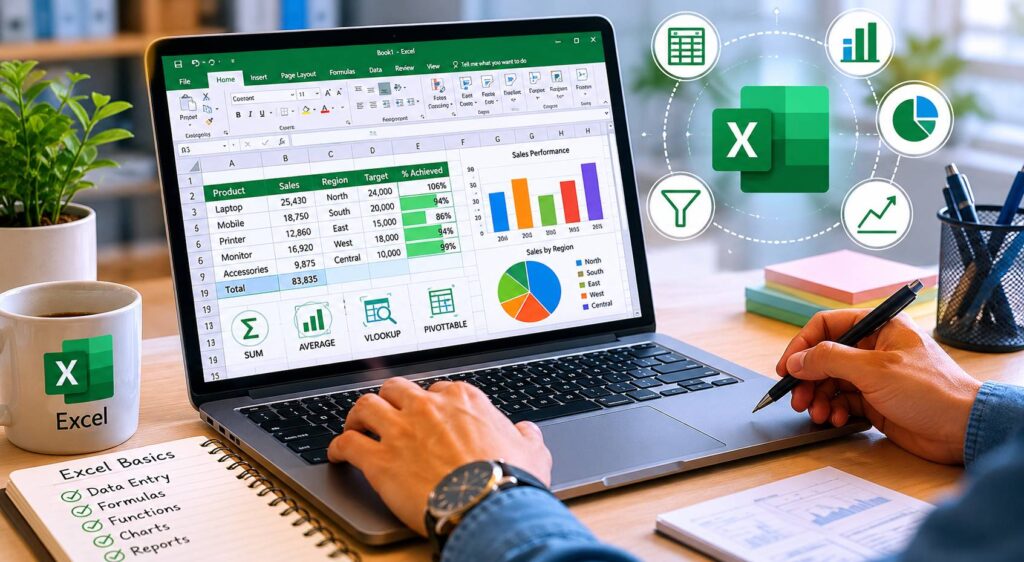
What is MS Excel and Why Does It Matter for Office Jobs?
MS Excel (Microsoft Excel) is a spreadsheet software developed by Microsoft. It is used by businesses all over the world to store data, perform calculations, create reports, and analyze information. If you want to learn MS Excel fast for office jobs, the first thing to understand is that Excel is the backbone of most office work.
Here is what Excel is used for in real offices:
- Tracking employee attendance and payroll
- Managing sales records and inventory
- Creating financial reports and budgets
- Analyzing customer data and business trends
- Building dashboards for managers and directors
- Preparing invoices and billing statements
Simply put, Excel is everywhere in the office world. Without it, getting a good job becomes much harder.
Why Should You Learn MS Excel Fast for Office Jobs?
1. Most Jobs Require Excel Skills
2. It Increases Your Salary Potential
3. It Saves Time at Work
4. It Opens Doors to Better Roles
How to Learn MS Excel Fast for Office Jobs: Step-by-Step Plan
Now let us answer the main question — how to learn MS Excel fast for office jobs — with a practical, easy-to-follow 15-day plan that we use at Green Field Computer Academy.
Step 1: Start with the Excel Interface (Day 1–2)
Open it, explore the ribbon, and understand how rows, columns, and cells work.
What to learn in these two days:
- The Excel Ribbon and Tabs (Home, Insert, Formulas, Data, etc.)
- How to enter data into cells
- Basic formatting: font size, bold, color, borders
- Saving and opening files in .xlsx format
Real Example: Open a blank Excel sheet and create a simple list of 10 student names with their marks. Format it nicely with bold headings and colored rows.
Step 2: Master Essential Formulas (Day 3–5)
About 80% of Excel work in real offices revolves around a small set of formulas.
Must-know formulas for office jobs:
- SUM — Add up numbers in a column or row
- AVERAGE — Find the average of a range
- COUNT / COUNTA — Count cells with numbers or text
- VLOOKUP / XLOOKUP — Search for data across large tables
- CONCATENATE / CONCAT — Combine text from multiple cells
- TODAY / NOW — Insert current date or time automatically
Real Example: Build a student result sheet. Use SUM to calculate total marks, AVERAGE for the average score, and IF to show “Pass” or “Fail” based on a minimum score.
Step 3: Learn Data Formatting and Cleaning (Day 6–7)
In real office work, data is often messy and unorganized. You need to know how to clean and format it properly. This is a skill that separates beginners from professionals.
- Remove duplicate entries
- Use Text to Columns to split data
- Find and Replace to fix errors
- Sort and Filter data easily
- Apply Conditional Formatting to highlight important values
Real Example: You receive a list of 500 customer entries. Some names are duplicated.
Step 4: Work with Tables and Data Management (Day 8–10)
Excel Tables are one of the most underrated features for office workers.
- Create a table using Ctrl + T
- Use auto-filters to search data quickly
Step 5: Learn Pivot Tables (Day 11–12)
Pivot Tables are the most powerful feature in Excel for anyone who handles reports. If you truly want to learn MS Excel fast for office jobs, Pivot Tables are a must.
With Pivot Tables, you can:
- Summarize thousands of rows of data in seconds
- Create monthly, quarterly, or yearly sales reports
- Group data by category, region, or product
- Instantly calculate totals, averages, and percentages
Real Example: You have 2,000 rows of sales data with product names, regions, and amounts.
Step 6: Practice Real Office Projects (Day 13–14)
The best way to learn MS Excel fast for office jobs is to work on real tasks, not just watch tutorials. At Green Field Computer Academy, we make our students build actual projects.
Practice project ideas:
- A monthly salary sheet with deductions and net pay
- An attendance tracker for a team of 20 employees
- A sales report comparing three months of data
- An invoice template with automatic total calculation
- A student result card with pass/fail grading
Step 7: Learn Keyboard Shortcuts (Day 15)
Shortcuts make you look like a professional and save hours every week.
- Alt + = — Auto Sum a column
- Ctrl + Shift + L — Toggle Filter on/off
- Ctrl + T — Create a Table
- F2 — Edit a cell directly
Benefits of Learning MS Excel at Green Field Computer Academy
At Green Field Computer Academy, our Excel course is designed to make you job-ready — not just certificate-ready. Here is what you gain:
- Hands-on practice from Day 1 with real office datasets
- One-on-one guidance from experienced instructors
- A structured 15 to 30 day learning path
- Practice files and assignments to reinforce every topic
- A recognized certificate that employers trust
- Job placement assistance and career counseling
- Lifetime access to class materials and recorded sessions
Course Fee and Duration at Green Field Computer Academy
We believe that quality education should be affordable. Here is an overview of our Excel course offerings:
Basic Excel Course
- Duration: 15 Days
- Topics: Interface, Formulas, Formatting, Tables
- Ideal For: Beginners and job seekers
- Certificate: Yes, upon completion
Advanced Excel Course
- Duration: 30 Days
- Topics: Pivot Tables, Charts, Data Validation, Macros (Introduction)
- Ideal For: Students wanting professional-level skills
- Certificate: Yes, upon completion
For the latest fee details, please contact Green Field Computer Academy directly.
Career Scope After You Learn MS Excel Fast for Office Jobs
Jobs you can apply for after learning Excel:
- Data Entry Operator — Enter and manage records in Excel databases
- Accounts Assistant — Prepare financial statements and reconcile accounts
- HR Coordinator — Maintain employee records and payroll sheets
- Sales Coordinator — Track sales targets and generate reports
- Office Administrator — Manage daily office data and communication logs
- Operations Executive — Monitor inventory, supply chain, and logistics data
- Business Analyst (Entry Level) — Analyze data to support business decisions
After gaining experience, you can move into more advanced roles in business intelligence, financial analysis, and project management. Learning Excel is truly one of the best investments you can make in your career.
- Only watching video tutorials without actually practicing — always open Excel and follow along
- Skipping formulas and jumping straight to advanced topics
- Not practicing on real data — use sample datasets that resemble actual office work
Frequently Asked Questions (FAQs)
Q1: How many hours per day do I need to practice?
Even 1 focused hour every day will help you learn MS Excel fast for office jobs without feeling overwhelmed.
Q4: Which version of Excel should I learn?.
Q5: What is the difference between basic and advanced Excel?
Basic Excel covers the interface, data entry, simple formulas, and formatting. Advanced Excel includes Pivot Tables, complex formulas, data validation, charts, and basic macros. Both are taught at Green Field Computer Academy.
Q6: Can I get a job with only basic Excel skills?
Q7: Does Green Field Computer Academy offer online classes?
Please contact Green Field Computer Academy directly to find out about online and physical class availability, timings, and batch schedules.
Final Tips to Learn MS Excel Fast for Office Jobs
Here are our top tips from years of teaching at Green Field Computer Academy:
- Focus on the formulas and features that real offices actually use
- Learn keyboard shortcuts early — they save enormous amounts of time
- Join a class or course for structured learning with proper guidance
- Build a small portfolio of Excel files you created to show employers
- Teach what you learn to someone else — it is the fastest way to master any skill
Conclusion
Learning Excel does not have to be slow, expensive, or complicated. If you follow the right plan and stay consistent, you can learn MS Excel fast for office jobs and become fully job-ready in just a few weeks. From understanding basic formulas to building Pivot Table reports, every skill you learn brings you one step closer to your dream job.
At Green Field Computer Academy, we are committed to giving you the practical skills, hands-on experience, and recognized certification you need to succeed.
Do not wait. Enroll today at Green Field Computer Academy and start your journey to learn MS Excel fast for office jobs — your future career will thank you for it.