From zero knowledge to job-ready skills — one step at a time
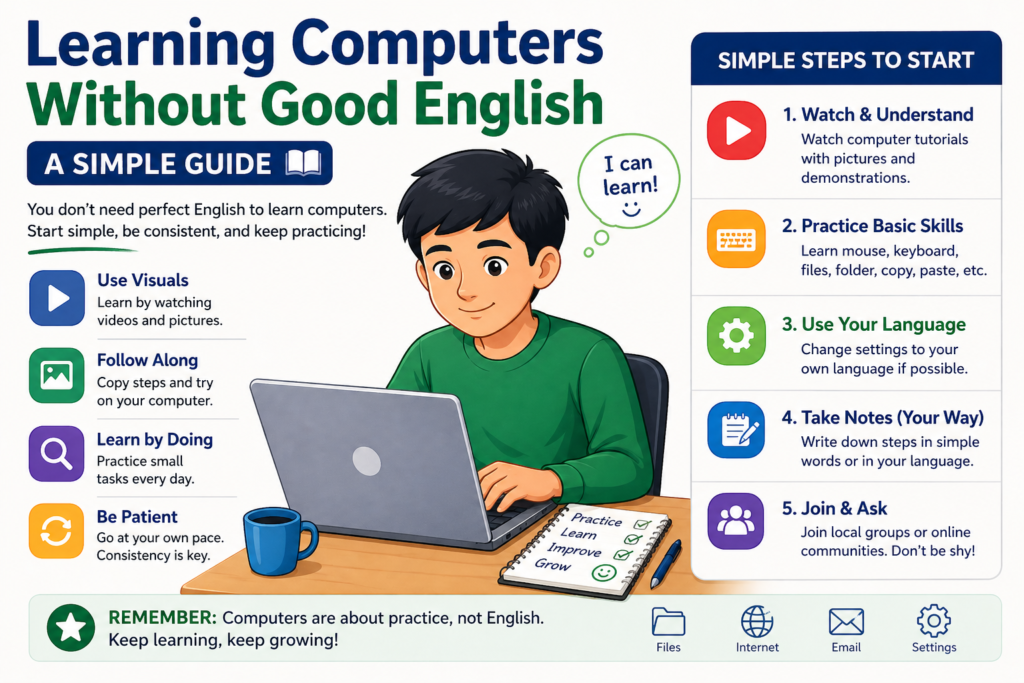
In today’s world, knowing how to use a computer is no longer optional — it is one of the most important skills you can have. Whether you want to get a better job, start a small business, or simply make your everyday life easier, computers open doors that were once closed. The good news? You do not need to be young, highly educated, or technically gifted to learn. All you need is a plan and a little bit of patience.
This guide breaks the learning journey into five clear steps. Follow them in order, practice every day, and within a few months you will have skills that can genuinely change your life.
Step 1: Master the Basics First
Before you can run, you must walk. The very first thing to learn is how to physically use a computer. This sounds simple, but many beginners skip this stage and then feel frustrated later when small things confuse them.
Focus on these foundational skills:
- How to turn the computer on and shut it down properly
- Using the mouse — clicking, double-clicking, right-clicking, and scrolling
- Using the keyboard — finding keys, understanding Shift, Ctrl, and Alt
- Creating folders and organising your files
- Saving and opening documents
- Basic typing with both hands
Practise for just one hour every day. In 15 to 20 days, you will notice a real difference. Things that felt awkward at first will start to feel natural. This is called building muscle memory — and it happens faster than most people expect.
Step 2: Learn to Type Properly
Typing is the bridge between your thoughts and the computer. If you type slowly, everything takes longer — writing emails, filling forms, working in documents. Learning to type well is one of the highest-return investments you can make at this stage.
You do not need to become a speed champion. A goal of 25 to 30 words per minute is perfectly enough to start working. Free websites like Typing.com and 10FastFingers let you practise and track your speed. Aim for short daily sessions rather than long occasional ones — 20 minutes every day beats two hours once a week.
If you want to work in Hindi as well as English, you can practise Hindi typing using tools like Inscript keyboard layout. Many government and data entry jobs in India require Hindi typing, so this can give you a real advantage.
Step 3: Learn MS Office — Your Most Useful Tool
Microsoft Office is used in offices, schools, hospitals, banks, and businesses across the world. Learning the three main applications below will make you genuinely employable — even without any other technical qualification.
MS Word — Creating Documents
MS Word is used to write letters, create resumes, draft reports, and produce any kind of text document. Learn how to format text, add headings, insert tables, and print. A well-formatted resume made in MS Word has helped millions of people land their first job.
MS Excel — Working with Data
MS Excel is used to organise numbers and data in rows and columns. Start with basic skills: entering data, making simple tables, and using formulas like SUM, AVERAGE, and COUNT. Even basic Excel knowledge is highly valued by employers in fields like accounting, logistics, retail, and administration.
MS PowerPoint — Creating Presentations
MS PowerPoint lets you create slide-based presentations. This is useful for school projects, business meetings, and training sessions. Learn how to add text, images, and simple animations. Good presentation skills will help you stand out in interviews and at work.
Step 4: Pick Up Computer English Along the Way
Many beginners worry that they need to be fluent in English to use computers. The truth is far simpler. You only need to understand a small set of common computer words — and you will learn them naturally as you practise. Here are the most important ones:
| Word | What It Means |
| File | A document or item saved on your computer |
| Save | Store your work so it is not lost |
| Edit | Make changes to something |
| Copy | Duplicate something so you have two versions |
| Delete | Remove something permanently |
| Folder | A container used to organise files |
| Produce a paper copy of a document | |
| Download | Transfer a file from the internet to your computer |
| Upload | Send a file from your computer to the internet |
| Search | Look for something on the computer or online |
You only need around 100 to 200 words like these to use computers confidently. Do not worry about the rest — it will come naturally over time.
Step 5: Choose a Career Path and Go Deeper
Once you are comfortable with the basics and MS Office, you are ready to specialise. The world of computers offers many exciting paths, and every one of them can be learned step by step. Here are some popular options:
Graphic Design
Create posters, logos, social media graphics, and more. Tools to learn: Canva (free and beginner-friendly), then Adobe Photoshop or Illustrator.
Video Editing
Edit videos for YouTube, weddings, businesses, or online courses. Tools to learn: CapCut (free, mobile), then DaVinci Resolve or Adobe Premiere Pro.
Programming and Coding
Build websites, apps, and software. Start with HTML and CSS for websites, or Python for data and automation. This field has some of the highest salaries in tech.
Type, organise, and manage data for businesses. This is one of the easiest computer jobs to get early on and pays reasonably well for part-time or work-from-home positions.
Digital Marketing
Help businesses grow online through social media, email, and Google ads. One of the fastest-growing fields with many freelance opportunities.
Final Thoughts: Start Today
The biggest mistake most beginners make is waiting for the “perfect time” to start. There is no perfect time. The best time is now — even if you only have one hour a day and access to a basic computer.
Remember the five steps: build basic skills, learn to type, master MS Office, pick up key English words, and then choose a career path. Follow this plan consistently and within six months to one year, you will have skills that can genuinely open new doors in your life.
Every expert was once a beginner. The only difference between them and you is that they decided to start. So close this guide, sit down at a computer, and take your first step today.