Coding is one of the most valuable skills in today’s digital world. Whether you want to become a web developer, software engineer, data analyst, or freelancer, learning programming can open tremendous career opportunities. Yet despite the abundance of resources available, many beginners struggle — not because coding is inherently difficult, but because they fall into predictable traps.
At GFCA – Green Field Computer Academy, students learn coding through practical projects, industry-focused training, and real-world applications rather than theory alone. Drawing on that experience, here are the top 10 mistakes beginners commonly make — and exactly how to avoid them.
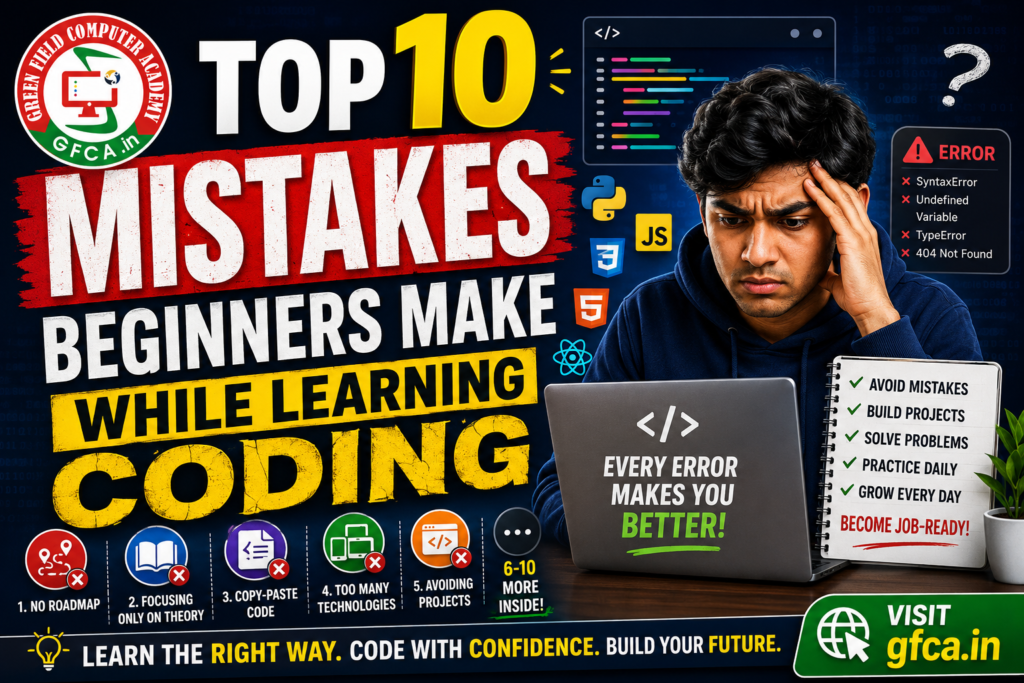
1. Learning Without a Proper Roadmap
One of the biggest mistakes beginners make is starting to code without a clear direction. Many students jump randomly between Python, Java, web development, AI, and data science without mastering the fundamentals first. This scatter-gun approach leads to shallow knowledge across many areas and deep knowledge in none.
A smarter approach:
- Start with programming fundamentals before anything else
- Learn one language or technology stack properly
- Build small, complete projects at every stage
- Progress step-by-step from basics to advanced topics
💡 Pro Tip: GFCA offers structured, career-focused learning paths in Web Development, Python, Full Stack Development, and more — so students always know what to learn next.
2. Focusing Only on Theory
Reading tutorials and watching videos is helpful, but coding is a hands-on skill. You cannot become a programmer by passive consumption alone. Many beginners fall into the trap of watching endless YouTube tutorials and taking notes — but never actually writing code themselves.
The best way to learn coding is by practising daily and building things. Every concept becomes clearer the moment you implement it and encounter real errors. GFCA focuses exclusively on practical, project-based learning where students create real websites, dashboards, and applications from day one.
3. Copy-Pasting Code Without Understanding
Many beginners copy code from Google, ChatGPT, or tutorials without understanding how it works. While borrowing snippets is normal, blindly copying creates dependency and seriously weakens problem-solving skills over time.
Instead, try this workflow:
- Read the borrowed code carefully, line by line
- Understand what each part does and why
- Modify it to solve a slightly different problem
- Rebuild your own version from memory
Understanding logic is far more valuable than memorising syntax. Syntax can always be looked up; logical thinking cannot.
4. Trying to Learn Too Many Technologies at Once
Some students simultaneously attempt to learn HTML, CSS, JavaScript, React, Python, AI tools, and PHP. The result is almost always confusion, frustration, and ultimately giving up. The human brain is not designed for context-switching across many unfamiliar domains at once.
A practical, sequential path for web development:
- HTML & CSS — structure and style
- JavaScript — interactivity and logic
- React — component-based UI
- Backend Development — servers, databases, APIs
💡 Pro Tip: GFCA’s Full Stack with GenAI programme follows exactly this step-by-step structure, ensuring no student is overwhelmed.
5. Avoiding Projects
Projects are the single most important element of coding education, yet many beginners skip them entirely. Without projects, concepts fade quickly, confidence never builds, and your portfolio remains empty — making job hunting far harder.
Great beginner projects include:
- Calculator app
- Personal portfolio website
- To-Do list application
- Weather app using a public API
- Basic login & registration system
GFCA students work on real-world projects throughout their training, which is why they leave with tangible work to show employers — not just a certificate.
6. Being Afraid of Errors and Bugs
Every programmer — from absolute beginner to seasoned senior — faces errors constantly. Beginners often panic when they see a syntax error, an undefined variable, a broken layout, or a failed database connection. But debugging is not a sign of failure; it is an integral part of programming.
The more errors you encounter and solve, the stronger your instincts and problem-solving skills become. Treat every red error message as a teacher, not an obstacle. Over time, you will recognise patterns and fix issues in seconds that once took hours.
7. Not Practising Regularly
Coding is like a skill-based workout: if you stop practising, you lose momentum and forget concepts quickly. Many beginners study for several hours once a week and wonder why they aren’t progressing. Consistency vastly outperforms intensity.
A sustainable daily practice:
- Dedicate 1–2 focused hours per day, every day
- Solve small coding challenges regularly (LeetCode, HackerRank, etc.)
- Revisit and reinforce older concepts before moving forward
💡 Pro Tip: Even 45 minutes of daily, deliberate practice will outperform a single weekend marathon session every time.
8. Comparing Yourself With Others
Social media and platforms like GitHub or LinkedIn can make it feel like everyone else is lightyears ahead. Many beginners lose confidence after seeing advanced developers ship complex applications, and they quietly conclude that coding “must not be for them.”
Remember: every expert was once exactly where you are now. Coding takes time, patience, and consistent effort. Progress is not always visible day-to-day, but it compounds over weeks and months. Focus entirely on improving your own skills rather than comparing your beginning to someone else’s middle.
9. Ignoring Problem-Solving Skills
Coding is not merely about memorising syntax or following tutorials. Good programmers are fundamentally good problem-solvers. They know how to break a large, complex problem into smaller, manageable steps, and how to evaluate which solution is most efficient.
How to build problem-solving ability:
- Practise logic-building exercises before writing a single line of code
- Work through small coding challenges every day
- Apply programming to real-life problems you genuinely care about
Strong fundamentals and problem-solving skills are widely regarded by experienced developers as more important than rushing into advanced frameworks. This is exactly why GFCA emphasises logical thinking alongside technical training.
10. Learning Without Career Direction
Some students spend months learning to code without a clear goal in mind. Without knowing where you’re headed, it’s nearly impossible to choose the right technologies, build the right projects, or develop the right portfolio.
Before you start, ask yourself:
- Do you want to become a Web Developer or Full Stack Engineer?
- Are you interested in Mobile App Development?
- Is Data Analysis or Data Science your goal?
- Do you want to freelance and work independently?
- Are you drawn to AI Engineering or Machine Learning?
Your career goal defines your roadmap, your technology choices, and the projects you should build. GFCA provides career-focused training programmes designed specifically for students, job seekers, and professionals who want practical, industry-ready skills aligned to a clear destination.
Final Thoughts
Learning to code is not difficult if you follow the right approach. Most beginners struggle not because programming is impossible, but because they use ineffective methods. Avoid the ten mistakes above and you will find the journey significantly smoother and more rewarding.
Your success checklist:
- Stay consistent — daily practice beats occasional marathons
- Build projects — they are the proof of your skills
- Embrace bugs — they are your best teachers
- Learn step-by-step — master one thing before the next
- Focus on understanding — not memorisation
Ready to start the right way? Visit gfca.in and explore GFCA’s practical, career-focused coding programmes designed to make you job-ready.
If you need more information you can contact Sachin Thakur